

Officials said the initiative is expected to simplify travel by allowing OCI cardholders to carry their credentials digitally, reducing dependence on physical documents while ensuring quick access during immigration and airline verification procedures.
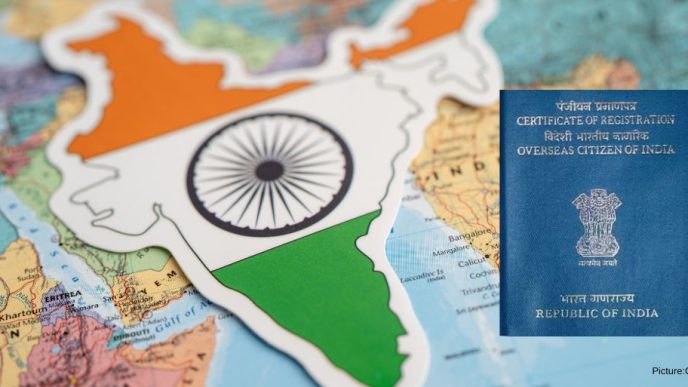
The Government of India has introduced the e-OCI Card, enabling existing Overseas Citizen of India (OCI) cardholders to download a digital version of their OCI card through the official OCI Services Portal. The initiative allows travellers to securely store their OCI credentials on their smartphones while continuing to use their existing physical OCI card, which remains fully valid.
The e-OCI card is designed as a digital copy of the physical OCI card, offering greater convenience during international travel and identity verification. It can be presented at immigration checkpoints and to airlines whenever required.
The facility is available to existing OCI cardholders. Users must log in to the OCI Services Portal using their registered User ID and password. Those who have not previously registered on the portal can create an account using the same email address provided during their original OCI application.
After logging into the portal, applicants can access the e-OCI section from their dashboard. Their OCI application details will appear on the screen, where they can select the “Generate e-OCI Card” option. Once generated, the digital card can be downloaded and saved securely on a mobile phone or other trusted device.
The government clarified that the physical OCI card remains valid and continues to serve as the primary document. The e-OCI card is intended as an additional digital convenience rather than a replacement.
Officials said the initiative is expected to simplify travel by allowing OCI cardholders to carry their credentials digitally, reducing dependence on physical documents while ensuring quick access during immigration and airline verification procedures.
How to Download the e-OCI Card
- Visit the official OCI Services Portal and log in using your registered User ID and password.
- If you are not registered, create an account using the email address linked to your OCI application.
- Open the e-OCI tab from your dashboard.
- Click “Generate e-OCI Card” next to your application details.
- Download the generated e-OCI card and save it securely on your smartphone or another trusted device.
- Present the digital card, along with your valid travel documents, whenever required during travel.
The rollout of the e-OCI card marks another step in India’s broader digital governance efforts, making official documentation more accessible while maintaining the validity of existing physical OCI cards.